2026-02-03

Generations (take N+1)


Putting some rigour to generations

Recently a coworker posted that children born this year would be in Generation Beta, and I was like “What? That sounds like too soon…” but then thought “Oh its just that thing when you get older and time flies by.” I saw a couple of articles saying it again, so decided to look at what was on the wikipedia article for generations and saw that yes ‘beta’ was starting.. then I started looking at the lengths of the various generations and went “Hold On”.

Wikipedia_graphic

Let us break this down in a table:

GenerationWikipediaHow Long
T (lost)1883-190017
U (greatest)1901-192726
V (silent)1928-194517
W (boomer)1946-196418
X1965-198015
Y (millenial)1981-199615
Z1997-201215
alpha2013-202512
beta2026-203913
gamma2040-?????

So it is bad enough that Generation X,Millenials, and Z got shortened from 18 years to 15.. but alpha and beta are now down to 12 and 13? I realize that this is because all of this is a made up construct to make some people born in one age group angry/sad/afraid in another by editors who are needing to sell advertising for things which will solve the feelings of anger, sadness, or fear.. but could you at least be consistent.

I personally like some order to my starting and ending dates for generations so I am going to update some lists I have put out in the past with newer titles and times. We will use the definiton as outlined at https://en.wikipedia.org/wiki/Generation

A generation is all of the people born and living at about the same time, regarded collectively.[1] It also is “the average period, generally considered to be about 20–30 years, during which children are born and grow up, become adults, and begin to have children.”

For the purpose of trying to set eras, I think that the original 18 years for baby boomers makes sense, but the continual shrinkflation of generations after that is pathetic. So here is my proposal for generation ending dates outside. Choose which one you like the best when asked what generation you belong to.

GenerationWikipedia18 Years
T (lost)1883-19001889-1907
U (greatest)1901-19271908-1926
V (silent)1928-19451927-1945
W (boomer)1946-19641946-1964
X1965-19801965-1983
Y (millenial)1981-19961984-2002
Z1997-20122002-2020
alpha2013-20252021-2039
beta2026-20392040-2058
gamma2040-???2059-2077

(*) I say wikipedia here, but they are basically taking dates from various other sources and putting them together.. which should be seen as more on the statement of social commentators who aren’t good at math.

2025-01-06

Issues I found with CentOS Stream 10

Notes on common issues with CentOS Stream 10

Stephen J Smoogen

2024-01-06

Introduction

I recently moved a home server from Fedora Linux 41 to CentOS Stream 10. The reason for the move was not related to Fedora, but due to a series of hardware failures on a 4 year old server. The internal NVME died and the 2 SSD drives I had as a raid array for running virtual guests, mock builds and other things started reporting SMART errors. With the recent release of CentOS Stream 10, and most of my day work going to be related to it, I figured it was time to buy some replacement drives and install a new operating system.

While doing this reinstall, I saw other people were running into issues and posting on mailing lists and forums for help. I figured I would try to collect all the info in one place and see if it would help people.

Problem 1: Old Hardware

Problem Description

You have tried to install CentOS Stream 10 on your system which ran previous versions of CentOS without problems. However now the system will crash at different points in the install or not boot at all during the media. Re-cutting the ISO or other items does not fix the issue.

Why is this happening?

The issue is due to CentOS Stream 10 only supports hardware that has the x86-64-v3 instruction set. This is an instruction set which Intel introduced in 2013 with the Haswell chip set and AMD added similar instructions in 2015. Sadly, Intel did not introduce the full instruction set to all their sold CPU’s after 2013, so there are various ‘low end’ Atom and similar Cups built from 2013 to maybe 2020 which will not work.

The reason for the change in instruction sets comes down to Red Hat Enterprise Linux being aimed at data center hardware which ‘theoretically’ gets replaced on a 8 year life cycle. Owners of this newer hardware usually want to use the hardware as much as possible so want libraries and tools to use the newer instructions. There is also the fact that supporting older hardware with newer code becomes harder and harder running anything from manufacturers no longer giving driver updates to the general problem of newer software using more memory and CPU cycles. People with older hardware are generally going to need to stick with CentOS Stream 9 until it reaches its EOL in early 2027 or move to another operating system which is aimed to support older systems.

What can I do?

This is a fundamental instruction set change. The only fixes are to buy newer hardware, stay on an EL clone of 8 or 9, or move to a different operating system.

Problem 2: Server Going to Sleep Problem

Problem Description

The system was installed with the default ‘Server with GUI’ and after the install completes the system goes into ‘deep sleep’ mode after no activity on the GUI console. This may only occur after a user has logged in one time to the server console, but may also happen without any user interaction.

Why is this happening?

My first worry was that the system had died, but when pressing a key, the system power back up from a low powered state. Doing a search for bugs, I ran into problems with Red Hat’s https://issues.redhat.com search capabilities and ended up looking through stack overflow and other places. The issue seems to be that the default GNOME settings assume that this is either a ‘desktop’ or ‘laptop’ which when not in constant use will want to sleep to save power. This is not a useful setting for a 24x7 server, and neither was the fact that the GUI settings to turn this off mentioned on the GNOME pages did not seem to exist in the version of GNOME shipped in the current CentOS Stream 10 (2024-12-30).

What can I do?

Doing some other searches I was able to cobble together some command line options which turned off the settings.

## Set the inactive sleep to 0 when there is power to the
## system.
$ sudo -u gdm dbus-run-session gsettings \
   set org.gnome.settings-daemon.plugins.power \
   sleep-inactive-ac-timeout 0
## Do the same for the main user
$ dbus-run-session gsettings \
   set org.gnome.settings-daemon.plugins.power \
   sleep-inactive-ac-timeout 0

I am expecting that this will be reported to Red Hat at some point and can be fixed in the install settings so new users won’t have this in the future.

Problem 3: Continuous prompt error mentioning EPEL

Problem Description

After enabling an external repository like the EPEL-10, the system will continually pause during shell entries and give an error like:

Failed to search for file: Failed to download gpg key for
repo 'epel': Curl error (37):
Could not read a file:// file for
file:///etc/pki/rpm-gpg/RPM-GPG-KEY-EPEL-$releasever_major
[Couldn't open file
/etc/pki/rpm-gpg/RPM-GPG-KEY-EPEL-$releasever_major]

Why is this happening?

This problem occurs because of two helpful changes coming into contact with each other.

The first helpful tool is that the various shells in CentOS Stream 10 come with helpers which will catch ‘command not found’ and try to figure out if you mistype it:

vm
bash: vm: command not found...
Similar command is: 'mv'

or if you need to install an additional package set from a repository. This can be helpful even on systems which are controlled by a tool like puppet or ansible as sometimes something expected was just missed on the system.

The second helpful change is that a much used additional repository EPEL is trying to fix a reoccurring problem with EL releases. Since the release of EL8 in 2019, Red Hat has been doing a major release every 3 years and around 10 minor releases per major release every 6 months. In a change with earlier Enterprise Linux, where major re-bases did not happen that much, each minor release may see one or more subsystems upgraded or ‘aged out’ as what Red Hat call’s an application stream is no longer supported. This is useful for systems which find they need a newer python for some reason but still be on an older base operating system. However this is also hard for people using external software which may no longer have base libraries needed.

In order to fix this, EPEL has decided that for EL10 they would build software CentOS Stream 10, and then branch every minor Red Hat Enterprise Linux 10.x release with updates and changes which match what is in a particular minor release. If a system administrator has decided that a system needs to stay on 10.2 even after 10.3 is released, they will be able set a variable which will keep EPEL working without having to mirror a version from the Fedora archives. Other repositories like rpmfusion should be able to do this also.

The problem is that the helper is not able to parse the new format of the EPEL release files and so isn’t filling out the variable $releasever_major. Because it is failing, the package cache looks to be invalid so it tries to renew the cache EVERY time. This becomes maddening if you have a shell prompt which is looking for a ‘command’ which hasn’t been installed on the system yet. My shell has an additional helper looking for git and and such. It manipulates the PS1 variable and so every command was giving me an error, then a long pause and the repeated line about unable to download the gpg key.

What can I do?

The command lookup helper in question comes with the GNOME PackageKit. This may take a while for it to be updated to understand the new repository environment $releasever_major so at the moment, I suggest getting rid of the helper.

$ sudo dnf remove PackageKit-command-not-found
Updating Subscription Management repositories.
Unable to read consumer identity

This system is not registered with an entitlement server.
You can use subscription-manager to register.

Dependencies resolved.

Any shells currently in use may need to restart or resource their .profile in order to stop erroring.

Problem 4: Unwanted Subscription Manager Messages

Problem Description

Whenever a dnf command is given, there is a warning printed out saying:

[root@xenadu etc]# dnf update
Updating Subscription Management repositories.
Unable to read consumer identity

This system is not registered with an entitlement server.
You can use subscription-manager to register.

Why is this happening?

This warning comes from the fact that CentOS Stream is the ‘upstream’ of Red Hat Enterprise Linux and in being that there is a desire to make the two install as similar set of packages as possible for testing. However in the case of ‘subscription-manager’ this is a tool which isn’t useful for a CentOS system since subscribing it to the Red Hat entitlement systems is not needed.

What can I do?

This problem is solved by removing a set of subscription manager packages from the box:

[root@xenadu etc]# dnf remove subscription-manager*
Updating Subscription Management repositories.
Unable to read consumer identity

This system is not registered with an entitlement server.
You can use subscription-manager to register.

Dependencies resolved.
===============================================================
 Package               Arch   Version         Repository  Size
===============================================================
Removing:
 subscription-manager  x86_64 1.30.2-2.el10   @anaconda  3.7 M
 subscription-manager-rhsm-certificates
                       noarch 20220623-6.el10 @anaconda   27 k
Removing dependent packages:
 insights-client       noarch 3.2.8-2.el10    @AppStream 1.4 M
Removing unused dependencies:
 libdnf-plugin-subscription-manager
                       x86_64 1.30.2-2.el10   @anaconda   44 k
 python3-cloud-what    x86_64 1.30.2-2.el10   @anaconda  156 k
 python3-decorator     noarch 5.1.1-12.el10   @anaconda   77 k
 python3-iniparse      noarch 0.5-10.el10     @anaconda  124 k
 python3-inotify       noarch 0.9.6-36.el10   @anaconda  302 k
 python3-librepo       x86_64 1.18.0-3.el10   @anaconda  187 k
 python3-subscription-manager-rhsm
                       x86_64 1.30.2-2.el10   @anaconda  548 k

Transaction Summary
===============================================================
Remove  10 Packages

Freed space: 6.6 M
Is this ok [y/N]:

2024-07-27

What happened to the CentOS Forums

Where did CentOS Forums Go

What Happened

If you try to go to the CentOS Forums, you will instead be directed to the status page. The CentOS Forums is sadly one of the resources that went away the the end of CentOS Linux 7. The system was a classic PHP web-forum which had been run for over a decade by volunteers as a resource for the CentOS Community. Due to its age, and its usefulness, there have been several requests to get it back up and working. However, it looks highly unlikely for several reasons:

  1. The service was not actually ‘owned’ by the CentOS Project. It was set up and run by various volunteers who were associated with the project but was never a ‘core’ part of the project. So when Red Hat ‘bought’ CentOS in 2014, this service was not part of that merger.
  2. The volunteers who were running the service mostly left after CentOS Linux 8 was end of lifed earlier than thought on 2021-12-31. Many in the community had thought the operating system would have a 10 year lifetime like earlier releases, but Red Hat decided in 2021 to focus only on the CentOS Stream versions.
  3. The remaining volunteer announced that they would only support the system until the end of CentOS Linux 7 in 2024. Announcements were put on the forums that the service would be going away.
  4. The contents of the forums could not be transferred to the CentOS project (aka Red Hat) because the contents were never licensed under a license which would allow for it. Basically any post on the forums was under the copyright of the poster and possibly licensed to be viewed on that forum only. Moving the posts and documents on the forum would have required getting the permission of every individual poster where many of them may no longer be contactable.
  5. Various parts of the database are also covered by the GDPR, ‘Right to Forget’ and similar laws around the world. Because again the licensing of the forum was fairly informal, it was thought that transfers would need further legal review.
  6. Even putting the service in a ‘read-only’ format would have required continual maintenance for a PHP code base which would have needed porting to a newer operating system and toolkit. [Doing dumps and rewrites for forums tends to end up with unreadable messes unless a lot of extra time and effort is done.]

Since the remaining volunteer had done this for 4 years and didn’t want to continue, it was decided to shut off the forums when CentOS Linux 7 went away. For people who still wanted to discuss issues with CentOS Stream, the Fedora Project added a section to its discourse server: https://discussion.fedoraproject.org/c/neighbors/centos/71 which has seen some traffic (mostly people asking for howtos).

Lessons (Re)-Learned.

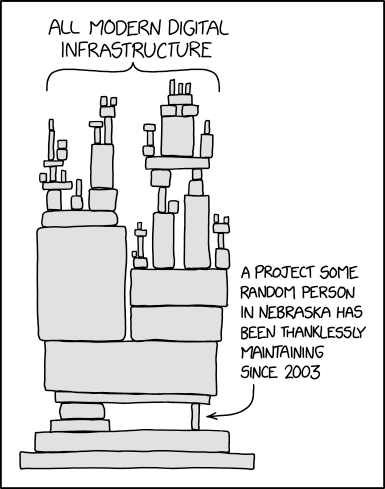
XKCD

The first lesson I have re-learned from this EOL is that the Internet is ephemeral but operating system needs are forever. I have a very large list of bookmarks in my browser which are no longer useful but on checking, I realized that nearly every bookmark over 5 years was also no longer where it was ‘originally’ pointing to. In some places, some system administrator has made a redirect (which probably leads to another redirect and another).. but in many cases the posts are gone like so many tears in the rain.

The second lesson I have re-learned is that copyright licenses are much more important than we give them credence. When setting up a forum or other group, make sure that you ensure that others can reuse what is posted and the authors understand the permissions they are granting others before they post.

The third lesson is when-ever possible make a local copy of things you find important. If it is under some sort of copyleft, make a direct copy and keep it in markdown or some similar format for later updates. If it isn’t permissible, then rewrite it as best you can to make sure that you know how restore backups on a CentOS Linux 5 system even though the OS is now end-of-lifed for over 7 years.

2024-07-16

How to archive a local copy of CentOS 7

How to archive a local copy of CentOS 7

How to archive a local copy of CentOS 7

This post is meant for the various junior system administrators who have been tasked with fixing problems with CentOS 7 systems after the software was removed from most of its mirrors. Most of these systems have probably been running fine for a decade, and now possible critical systems are generating failed cron jobs or other errors.

What happened?

On July 1st, 2024, CentOS Enterprise Linux 7 reached its end of life as its upstream, Red Hat Enterprise Linux 7, had moved to Extended Life(cycle) Support. As with previous releases, the operating system was moved from the main mirrors to the CentOS vault, and the mirrorlists were turned off. Once the software was removed from the main mirrors, many secondary mirrors also removed the software as rsync and similar scripts would see the old software was gone. At this point, some unknown number of CentOS Linux systems ended up ‘non-supported.’

The systems may have been extremely low maintenance for years running whatever tasks they had been without a problem. The people who initially set them up have probably moved to other jobs, and some new person is now finding out that things are broken. Maybe its a cron job which runs one a week to run updates, or the kickstart used to reinstall an old server now breaks. In most of these cases, there is little documentation on what is being used, why it is being used, or how big a problem this is going to be.

What is needed to be done?

Getting an infrastructure out of this place is really out of scope of a single blog post. It generally requires getting various levels of managements attention, and then long term planning on how to transform an infrastructure into something more manageable. However in the short term a site can make things workable by making a local mirror of content from an upstream vault.

The reason to use a local vault is that the existing upstream vaults are limited in bandwidth and scope. Plus as more sites try to use them, the services may be curtailed or removed. When dealing with ‘End of Life’ projects and software, it is better to assume that things will get worse before they get better.

Hardware and software requirements

In order to mirror CentOS 7 locally, you are going to need to set up a webserver with at least 500 GB of free space (if you don’t want to copy the out of date ‘atomic’ trees. ) The amount of memory and cpu cores needed is dependent on the number of servers you are going to be supporting. The more systems, the more memory and cores that might be needed. In any case, I was able to set up a system with 2 cores and 4 GB of ram to support 4 EL7 systems without problems.

Internet requirements

There are currently 3 major mirrors of the CentOS vault.

  • archive.kernel.org
  • linuxsoft.cern.ch
  • mirror.nsc.liu

It is best to find one which is ‘network’ close and set up scripts to rsync data from the site. I found that each server will be busier at different times, so expect that copying will take multiple hours.

Sample Rsync script

The script I used to do this was the following:

#!/bin/bash

VAULT=archive.kernel.org::centos-vault/
TREEDIR=/srv/mirrors/

RSYNC_OPTS='-avSHP --delete-excluded'

## Mirror CentOS 7
mkdir -vp ${TREEDIR}/centos-vault/7.9/
EXCLUDE_ITEMS="--exclude=atomic/"
rsync ${RSYNC_OPTS} ${EXCLUDE_ITEMS}  ${VAULT}/7.9.2009/ ${TREEDIR}/centos-vault/7.9/

Sample HTTPD config

In my /etc/httpd/conf.d/ I added the following config file:

Alias "/mirrors" "/srv/mirrors"
<Directory /srv/mirrors>
  AllowOverride None
  Require all granted
  Options +Indexes
</Directory>

Sample Yum repo config

Finally on the EL7 systems, I used a config like the following in /etc/yum.repos.d/CentOS-EOL.repo

[base]
name=CentOS-$releasever - Base
baseurl=http://192.168.1.150/mirrors/centos-vault/7.9/os/$basearch/
gpgcheck=1
enabled=1
gpgkey=file:///etc/pki/rpm-gpg/RPM-GPG-KEY-CentOS-7

#released updates
[updates]
name=CentOS-$releasever - Updates
baseurl=http://192.168.1.150/mirrors/centos-vault/7.9/updates/$basearch/
gpgcheck=1
enabled=1
gpgkey=file:///etc/pki/rpm-gpg/RPM-GPG-KEY-CentOS-7

#additional packages that may be useful
[extras]
name=CentOS-$releasever - Extras
baseurl=http://192.168.1.150/mirrors/centos-vault/7.9/extras/$basearch/
gpgcheck=1
enabled=1
gpgkey=file:///etc/pki/rpm-gpg/RPM-GPG-KEY-CentOS-7

[centosplus]
name=CentOS-$releasever - Plus
baseurl=http://192.168.1.150/mirrors/centos-vault/7.9/centosplus/$basearch/
gpgcheck=1
enabled=0
gpgkey=file:///etc/pki/rpm-gpg/RPM-GPG-KEY-CentOS-7

At this point, updates were possible and I was able to reinstall a system in order to rebuild some packages I needed. Similar work can be done to set up mirrors of CentOS Linux 6 or third party repositories like EPEL.

2024-06-28

What happens to EPEL-7 when EL-7 goes EOL.

What happens to EPEL-7 when EL-7 goes EOL

What is happening to RHEL-7

The Red Hat Enterprise Linux release cycle is fairly straight forward with releases lasting about 10 years after their initial release.

RHEL ver Release Date EoMaint EoExtended
5 2007-03-15 2017-03-31 2020-11-30
6 2010-11-10 2020-11-30 2024-06-30
7 2014-06-10 2024-06-30 2028-06-30
8 2019-05-07 2029-05-?? 2031-05-??
9 2022-11-08 2032-05-?? 2034-05-??
10 2025-??-?? 2035-??-?? 2037-??-??

On June 30, 2024, Red Hat will stop doing general maintenance support of RHEL-7 and no more updates to that operating system will be available without purchasing ‘Extended Life-cycle Support’ contracts from Red Hat or similar contracts from SuSE’s Liberty Linux, Perforce’s OpenLogic, or various other consultants and companies offering various services.

What is happening to EPEL-7

The Fedora Extra Packages for Enterprise Linux (EPEL) is a repository of additional packages built against the Red Hat Enterprise Linux (RHEL) releases. When a RHEL release leaves maintenance mode and moves into ‘Extended Life-cycle Support’, the EPEL package set corresponding to that is closed and archived. No new builds or updates are done against that particular release, all bugs related to that release are closed as CANTFIX, and most mirrors will remove the content after the master mirror moves items to archives.

The usual process for closing out an EPEL release depends on how much work the central Fedora release engineering team have to deal with at the time of the RHEL EOL. In cases where a Fedora release is needing a high amount of focus, the only actions may be that new builds will be turned off on the day of the EOL, and then later other steps will be worked out. In other cases, all the actions occur fairly close together.

  1. A reminder email that the EOL is going to occur is sent to various Fedora mailing lists like: devel-announce@lists.fedoraproject.org and epel-announce@lists.fedoraproject.org. System administrators using EPEL should be following at least the second email address to see what issues may be occurring with the repository.
  2. The Fedora Build system is a complicated tool-set and so Release Engineering have to disable the building and composing of that particular EPEL release in multiple places. Because the release cycle is so long for EPEL compared to Fedora releases, there may be inconsistencies in how things were named or done. Basically it is a slower process than with Fedora releases to make sure that the tools continue to work after an EOL.
  3. All bugzilla.redhat.com bugs related to that release will be closed with a short stock answer tailored for that release as ‘CANTFIX’.
  4. The release is now copied into the Fedora down-loaders /pub/archive/epel tree with an appropriate name like /pub/archive/epel/7.9.2024-07-01 and then symlinks are made. A week is given for the archive mirrors to catch up with this new directory tree.
  5. The Fedora mirrormanager will be changed to point requests for ‘repo=epel-7’ to the mirrors which have /pub/archive.
  6. The content then will be removed from the main mirror locations of /pub/epel/ and mirrors who rsync will catch up to that in a day or so.

Usually about a week to a month after this happens, either the mailing lists or IRC will get people wondering where the content went. However in the current age of Continuous Integration and Container builds, changes in the EPEL-7 directory structure seem to cause reactions hours after they occur.

How to deal with this EOL.

The main advice I have for system administrators dealing with an End of Life operating system is the following:

  1. Mirror the content locally from whatever mirrors you can find. This lowers network bandwidth usage, and deals with the vagaries of archive sites removing content because they no longer can handle the load from large numbers of unexpected users.
  2. Work with your management on how to deal with the technical load that these systems are going to cause.
    1. Budget out what extended maintenance costs for critical security fixes to services like web-servers, databases, remote logins, etc are going to take.
    2. Budget out what mitigations are going to be required to keep these systems from causing longer term headaches. This may be extra firewalls or additional staff needed to take over software maintenance.
    3. Budget out what replacements of the hardware and software to move to an operating system which has long term maintenance support.
    4. Actually this is a very long list and probably should be its own blog post.

End Thoughts

Dealing with End of Life software is rarely an easy task. Just realize that you aren’t alone and there are tens of millions of systems which are going to be ‘unsupported’ on July 1st. Be patient with yourself and your infrastructure as you deal with this. Good luck.

2024-06-20

Updates on the CentOS 7 EOL: 2024-06-30

I am writing this on 2024-06-20 which means according to the IRC centbot:

  centbot: CentOS 7 will go EOL on 30 June, 2024 -- in 1 week,
 10 hours, 22 minutes, and 41 seconds.
  

The CentOS Systems Administrator, Fabian Arrotin, has posted several updates about what to expect starting Monday Jul 1st, 2024. The first email covers what services will stop after the 'End of Life' occurs:

  1. mirrorlist.centos.org will be decommissioned. This will affect any system trying to do a `yum update` or similar command after that date.
  2. forums.centos.org
  3. will be turned off and decommissioned. This was a volunteer effort by various system administrators who are ending their work with CentOS at the end of 7.
  4. torrent.centos.org
  5. will be turned off and decommissioned. This was useful for putting out new isos, but was no longer done for the CentOS Stream project.

Removal of mirrorlist will probaby cause various cron jobs and similar tools to stop working. Manual work will be needed to either turn off the CentOS repos affected in /etc/yum.repos.d/ files or something similar. The loss of forums will mainly affect people looking for answers for problems with EL7 and before systems. Similar answers may be available at stackoverflow or similar sites.

Fabian's second email covers what systems mirroring CentOS Linux 7 can expect and when.

  1. First it reiterates that all EL7 content from mirror.centos.org will be removed. Also that the mirrorlists will be turned off and no longer answering.
  2. Second crawlers will be turned off to see what mirrors are 'up-to-date' with EL7 content as the release is over.
  3. Third, the head rsync mirrors will continue to exist, but will only have an 'empty' filelist on it. This will cause all mirrors which do an rsync with --delete flags to remove all EL7 content from their mirror. This is normal for end of life releases as disk space needs to be used for other content.
The biggest issues that system administrators with EL7 systems need to be ready to do are the following:
  1. Be prepared that existing scripts and tools pulling in EL7 content will break without work.
  2. If you are mirroring EL7 content, and need to keep it, you need to check that the rsync scripts do not delete content which is no longer on the mirror. If you are using reposync or similar commands you will need to look for similar options.
  3. You should look at mirroring the content local to your site until your organization has a transition plan to another operating system.
  4. You should work with your management and financial resources on a transition plan if you haven't already.

2024-05-29

Where did 5 Million EPEL-7 systems come from starting in March?

ADDENDUM (2024-05-30T01:08+00:00): Multiple Amazon engineers reached out after I posted this and there is work on identifying what is causing this issue. Thank you to all the people who are burning the midnight oil on this.

ORIGINAL ARTICLE:

So starting earlier this year, the Fedora mirror manager mailing list started getting reports about heavier usage from various mirrors. Looking at the traffic reported, it seemed to be a large number of EL-7 systems starting to check in a lot more than in the past. At first I thought it was because various domains were beginning to move their operating systems from EL-7 to a newer release using one of the transition tools like Red Hat LEAPP or Alma ELevate. However, the surge didn't seem to die down, and in fact the Fedora Project mirrors have had regular problems with load due to this surge. 

A couple of weeks ago, I finally had time to look at some graphs I had set up when I was in Fedora Infrastructure and saw this:

Cumulative EPEL releases since 2019


Basically the load is an additional 5 million systems starting to query both the Fedora webproxies for mirror data, and then mirrors around the world to get further information. Going through the logs, there seems to be a 'gradual' shift of additional servers starting to ask for content when they had not before. In looking at the logs, it is hard to see what the systems asking for this data are. EL-7 uses yum which doesn't report any user data beyond:

urlgrabber/3.10 yum/3.4.

That could mean the system is Red Hat Enterprise Linux 7, CentOS Linux 7, or even Amazon Linux 2 (which is sort of based on CentOS 7, but with various changes that using EPEL is probably not advised).

Because there wasn't a countme or any identifiers in the yum code, the older data-analysis program does a 'if I see an ip address 1 time a day, I count it once.. if I see it 1000 times, I count it once.' This had a problem of undercounting for various cloud and other networks behind a NAT router.. so normally maybe only 1 ip address would show up in a class C (/24) network space. What seemed to change is where we might only count one ip address in various networks, we were now seeing every ip address showing up in a Class C network. 

Doing some backtracking of the ip addresses to ASN numbers, I was able to show that the 'top 10' ASNs changed dramatically in March

January 27, 2024
Total  ASN 
1347016 16509_AMAZON-02,
219728 14618_AMAZON-AES,
53500 396982_GOOGLE-CLOUD-PLATFORM,
11205 8560_IONOS-AS
10403 8987_AMAZON
8463 32244_LIQUIDWEB,
8019 54641_IMH-IAD,
7965 8075_MICROSOFT-CORP-MSN-AS-BLOCK,
7889 398101_GO-DADDY-COM-LLC,
7234 394303_BIGSCOOTS,

February 27, 2024
1871463 16509_AMAZON-02,
219545 14618_AMAZON-AES,
51511 396982_GOOGLE-CLOUD-PLATFORM,
11021 8560_IONOS-AS
9016 8987_AMAZON
8208 32244_LIQUIDWEB,
7885 54641_IMH-IAD,
7768 8075_MICROSOFT-CORP-MSN-AS-BLOCK,
7618 398101_GO-DADDY-COM-LLC,
7383 394303_BIGSCOOTS,

March 27, 2024
2604768 16509_AMAZON-02,
276737 14618_AMAZON-AES,
34674 396982_GOOGLE-CLOUD-PLATFORM,
10211 8560_IONOS-AS
9560 135629_WESTCLOUDDATA
8134 8987_AMAZON
7952 54641_IMH-IAD,
7677 32244_LIQUIDWEB,
7445 394303_BIGSCOOTS,
7250 398101_GO-DADDY-COM-LLC,

April 27, 2024
4247068 16509_AMAZON-02,
1807803 14618_AMAZON-AES,
65274 8987_AMAZON
51668 135629_WESTCLOUDDATA
41190 55960_BJ-GUANGHUAN-AP
9799 396982_GOOGLE-CLOUD-PLATFORM,
7662 54641_IMH-IAD,
7561 394303_BIGSCOOTS,
6613 32244_LIQUIDWEB,
6425 8560_IONOS-AS

May 27, 2024
4186230 16509_AMAZON-02,
1775898 14618_AMAZON-AES,
62698 8987_AMAZON
50895 135629_WESTCLOUDDATA
38521 55960_BJ-GUANGHUAN-AP
9059 396982_GOOGLE-CLOUD-PLATFORM,
7613 394303_BIGSCOOTS,
7531 54641_IMH-IAD,
6307 398101_GO-DADDY-COM-LLC,
6222 32244_LIQUIDWEB,

I am not sure what changed in Amazon in March, but it has had a tremendous impact on parts of Fedora Infrastructure and the volunteer mirror systems which use it.

2024-05-14

CentOS Linux 7: End of Life 2024-06-30

CentOS 7 EOL

If this looks a lot like the CentOS Stream 8 EOL content.. well it is because they aren't too different. It is just that instead of doing this once every 4 years, we get to do this twice in one year.
 
The last CentOS Linux release, CentOS Linux 7, will reach its end of life on June 30th, 2024. When that happens, the CentOS Infrastructure will follow the standard practice it has been doing since the early days of CentOS Linux:
  1. Move all content to https://vault.centos.org/
  2. Stop the mirroring software from responding to EL-7 queries.  
  3. Additional software for EL-7 may also be removed from other locations.

The first change usually causes any mirror doing an rsync with delete options to remove the contents from their mirror. The second change will cause the yum commands to break with errors. The vault system is also a single server with few active mirrors of its contents. As such, it is likely to be overloaded and very slow to respond as additional requests are made of it. 

 At the same time, the EPEL software on https://dl.fedoraproject.org/pub/epel/7 will be moved to /pub/archive/epel/7 and the mirrormanager for that will be updated appropriately.

In total, if you are using CentOS Linux 7 in either production or a CI/CD system, you can expect a lot of errors on July 1st or shortly afterwords.

What you must do!

There are several steps you can do to get ahead of the tsunami of problems:
  1. You can convert to Red Hat Enterprise Linux 7 and see about getting a Extended LifeCycle Support contract with the system. This is a stop gap measure for you to move toward a newer release of a Linux operating system.
  2. You can move your system to a replacement Enterprise Linux distribution. The Alma Project, Rocky Linux, Oracle and Red Hat all offer tools which can transition an EL7 system to a version of the operating system they will support for several years.
  3. If you are not able to move your systems in the next 45 days, you should look at mirroring the CentOS Linux 7 operating system to a more local location and move your update configs to use your mirror. With the large size of systems which could potentially try to use the vault system, I would not expect this to be very useful. As you will probably need to reinstall, add software or do continuous CI/CD in other areas.. you should keep a copy of the operating system local to your networks.

 References:

2024-05-13

CentOS Stream 8 END OF LIFE : 2024-05-31

CentOS Stream 8 EOL

CentOS Stream 8 will reach its end of life on May 31st, 2024. When that happens, the CentOS Infrastructure will follow the standard practice it has been doing since the early days of CentOS Linux:
  1. Move all content to https://vault.centos.org/
  2. Stop the mirroring software from responding to EL-8 queries. 

The first change usually causes any mirror doing an rsync with delete options to remove the contents from their mirror. The second change will cause the dnf or yum commands to break with errors. The vault system is also a single server with few active mirrors of its contents. As such, it is likely to be overloaded and very slow to respond as additional requests are made of it.

In total, if you are using CentOS Stream 8 in either production or a CI/CD system, you can expect a lot of errors on June 1st or shortly afterwords. 

What you can do!

There are several steps you can do to get ahead of a possible tsunami of problems:
  1. You can look to moving to a newer release of CentOS Stream before the end of the month. This usually will require deployment of new images or installs versus straight updates. 
  2. You can see if any of the 'move my Enterprise Linux' tools have added support for moving from CentOS Stream 8 to their EL8.10. For releases before 8.10, this was very hard because CentOS Stream 8 was usually the next release, but 8.10 is at a point where Alma, Oracle, Red Hat Enterprise Linux, or Rocky are at the same revisions or newer.
  3. You can start mirroring the CentOS Stream 8 content into your infrastructure and point any CI/CD or other systems to that mirror which will allow you to continue to function.

Mirroring CentOS Stream

Of the three options, I recommend the third. However in working out what is needed to mirror CentOS Stream, I realized I needed newer documentation and it would probably be a long post in itself. For a shorter version for self-starters, I recommend the documentation on the CentOS wiki,  https://wiki.centos.org/HowTos(2f)CreateLocalMirror.html  While the information was written for CentOS Linux 6 which was end-of-lifed in 2020, it covers most of the instructions needed. The parts which may need updating is the amount of disk space required for CentOS Stream which seems to be about 280 GB for everything and maybe around 120GB for any one architecture. 

 References:


Recent EPEL dnf problems with some EL8 systems

Last week there were several reports about various systems having problems with EPEL-8 repositories. The problems started shortly after various systems in Fedora had been updated from Fedora Linux 38 to Fedora 40, but the problems were not happening to all EL-8 systems. The problems were root-caused to the following:

  1. Fedora 40 had createrepo-1.0 installed which defaults to using zstd compression for various repositories.
  2. The EL8 systems which were working had some version of libsolv-0.7.20 installed which links against libzstd and so works.
  3. The EL8 systems which did not work either had versions of libsolv before 0.7.20 (and were any EL before 8.4) OR they had versions of libsolv-0.7.22

The newer version of libsolv was traced down to coming from repositories of either Red Hat Satellite or a related tool pulp, and was a rebuild of the EL9 package. However it wasn't a complete rebuild as the EL9 version has libzstd support, but the EL8 rebuild did not. 

A band-aid fix was made by Fedora Release Engineering to have EPEL repositories use the xz compression method for various files in /repodata/ versus libzstd. This is a slower compression method, but is possible to be used with all of the versions of libsolv reported in the various bugs and issue trackers.

This is a band-aid fix because users will run into this with any other repositories using the newer createrepo. A fuller fix will require affected systems to do one of the following:

  1. If the system is either Red Hat Enterprise Linux, Rocky Linux, Alma Linux, or Oracle Enterprise Linux and not running EL-8.9 or later, they need to upgrade to that OR point to an older version of a repository in https://dl.fedoraproject.org/pub/archive/epel/
  2. If the system has versions of libsolv-0.7.22 without libzstd support, they should contact the repository to see if a rebuild with libzstd support can be made. 
  3. If the system is CentOS Stream 8, then you should be making plans to upgrade to a different operating system as that version will be EOL on May 31st 2024.

External References


2023-04-21

Note To Future Self: Lenovo Laptop USB-C Mini Dock Reset

Hello Future Self,

Past Self here leaving you a note since I forgot to do so last time.

The Problem

When running Linux on a Lenovo, there are times where a firmware update will cause problems with the USB-C Mini Dock afterwards. In the previous 2 cases, the USB-C's RTL network will no longer show up as a seen device. External monitors plugged into the dock may also not function correctly, but it only happened once so I am not sure about that.

Diagnosis of the problem is that the system will complain of no internet connection, and commands will show something like the following (output altered):


ssmoogen@ssmoogen-rh:~$ ip addr
1: lo: <LOOPBACK,UP,LOWER_UP> mtu 65536 qdisc noqueue state UNKNOWN group default qlen 1000
    link/loopback 00:00:00:00:00:00 brd 00:00:00:00:00:00
    inet 127.0.0.1/8 scope host lo
       valid_lft forever preferred_lft forever
    inet6 ::1/128 scope host 
       valid_lft forever preferred_lft forever
2: enp0s31f6: <NO-CARRIER,BROADCAST,MULTICAST,UP> mtu 1500 qdisc fq_codel state DOWN group default qlen 1000
    link/ether ab:cd:12:34:56:78 brd ff:ff:ff:ff:ff:ff
3: wlp82s0: <BROADCAST,MULTICAST> mtu 1500 qdisc noqueue state DOWN group default qlen 1000
    link/ether 9a:bc:de:f1:23:45 brd ff:ff:ff:ff:ff:ff permaddr aa:aa:bb:bb:cc:cc

The part that has confused me at least once before is that the enp0s31f6 says NO-CARRIER which made me believe that the switch had problems. Looking at the USB-C showed that the link light was on and there was traffic. This led me to try various solutions which were wrong.

Attempted Solutions

In trying to diagnosis this in the past, I tried backing out all the firmware updates to see if they would untrigger the bricking of the connection. The fwupdtool worked great to do this, and I was able to back down through 8 firmwares without a hitch. However the network still said it was offline.

Next I went through older kernels and tried booting with a USB stick. All of them continued to show the e1000e as disconnected. Finally I went through the journalctl command to look for previous boots and what networks were shown up.


ssmoogen@ssmoogen-rh:~$ journalctl | grep eth0 | tail -n 100
....
Apr 20 16:54:37 ssmoogen-rh.localdomain kernel: e1000e 0000:00:1f.6 eth0: Intel(R) PRO/1000 Network Connection
Apr 20 16:54:37 ssmoogen-rh.localdomain kernel: e1000e 0000:00:1f.6 eth0: MAC: 13, PHY: 12, PBA No: FFFFFF-0FF
Apr 20 16:54:37 ssmoogen-rh.localdomain kernel: e1000e 0000:00:1f.6 enp0s31f6: renamed from eth0
Apr 20 16:54:38 ssmoogen-rh.localdomain kernel: r8152 4-2.1.2:1.0 eth0: v1.12.13
Apr 20 16:54:38 ssmoogen-rh.localdomain kernel: r8152 4-2.1.2:1.0 enp9s0u2u1u2: renamed from eth0
Apr 20 17:09:24 ssmoogen-rh.localdomain kernel: e1000e 0000:00:1f.6 eth0: (PCI Express:2.5GT/s:Width x1) aa:aa:aa:bb:bb:bb
Apr 20 17:09:24 ssmoogen-rh.localdomain kernel: e1000e 0000:00:1f.6 eth0: Intel(R) PRO/1000 Network Connection
Apr 20 17:09:24 ssmoogen-rh.localdomain kernel: e1000e 0000:00:1f.6 eth0: MAC: 13, PHY: 12, PBA No: FFFFFF-0FF
Apr 20 17:09:24 ssmoogen-rh.localdomain kernel: e1000e 0000:00:1f.6 enp0s31f6: renamed from eth0
Apr 20 17:13:56 ssmoogen-rh.localdomain kernel: e1000e 0000:00:1f.6 eth0: (PCI Express:2.5GT/s:Width x1) aa:aa:aa:bb:bb:bb
Apr 20 17:13:56 ssmoogen-rh.localdomain kernel: e1000e 0000:00:1f.6 eth0: Intel(R) PRO/1000 Network Connection
Apr 20 17:13:56 ssmoogen-rh.localdomain kernel: e1000e 0000:00:1f.6 eth0: MAC: 13, PHY: 12, PBA No: FFFFFF-0FF
Apr 20 17:13:56 ssmoogen-rh.localdomain kernel: e1000e 0000:00:1f.6 enp0s31f6: renamed from eth0
...

The Solution

Matching up the timestamps I see that there was an additional device see before the updates occurred. This was using the r8152 driver but after the firmware updates it no longer showed up. This finally triggered a memory of an email I had seen where someone else had a similar problem. Going through my email archives, I found that the solution they had found was to unplug the USB-C Dock for 1 minute and then plug everything back in. Sure enough, doing this restored the RTL driver and my network was restored. The e1000 was a red herring as it is somewhere internal to the laptop and probably available through a dongle which I forgot about as there doesn't seem to be a RJ-45 jack I could find on the exterior of the laptop.

Anyway, when this happens again, please remember this letter and save yourself 2 hours of firmware resets and kernel reboots. Sometimes completely turning off the hardware (remove all power from the Dock including the laptop) and turning it back on WILL fix the problem.

2023-04-19

~1 year to end of EPEL-7

Extra Packages for Enterprise Linux 7

Extra Packages for Enterprise Linux (EPEL) are packages based off of various Fedora releases but built for the various distributions based off of Red Hat Enterprise Linux. In June of 2014, Red Hat Enterprise Linux 7 (EL-7) was released and over the next several months, a focus was made to make the release of EPEL possible. Much of the work was done by Kevin Fenzi and Dennis Gilmore with some additional work by anyone else who had spare time. The initial goal was to make it that core packages needed for Fedora Infrastructure to move its core servers to EL-7 were built. That had been what had been done for the initial releases of EPEL-5 and EPEL-6, and would allow for enough base 'packages' to be built for additional packages to be added by other maintainers.

In comparison to trying to get EPEL-5 working, building for EPEL-7 was fairly easy. The initial distribution came with a large set of shipped development libraries and tooling versus getting added later. Over the years, the EL-7 distribution also gained various newer gcc toolkits via software collections which also helped EPEL maintainers to keep updating software for much of the 10 year lifecycle of EL-7. However, this maintenance has been getting harder over the last 2 years, as more and more software required either newer kernels, glibc, or other libraries that aren't available for an older operating system. [This is similar to what happened with EPEL-5 and EPEL-6 where the last year or so of the repository was more and more packages being removed due to maintenance concerns.]

This ties in with the general end of support for Red Hat Enterprise Linux 7 on June 30, 2024. While final plans for how EPEL-7 will be end of lifed, this is a general outline from how EPEL-5 and EPEL-6 were similarly ended.

  1. There will be regular reminders on mailing lists that the project will no longer be supporting EL-7 after a specified date. 
  2. On that date, the following will happen:
    1. The Fedora build system will not allow any more EPEL-7 builds
    2. A final push of all updates will happen to /pub/epel/7/
    3. The current items in /pub/epel/7/ will be archived over to /pub/archive/epel/7.final/
    4. Symbolic links will be made to point /pub/archive/epel/7 to the 7.final
    5. The mirrormanager program which is what yum uses to look for updates will change where it points to to /pub/archive/epel/7/
    6. After a week to allow mirrors to catch up, /pub/epel/7/ will be removed and a line telling people where to find the archived content.
  3. Updates to lists and such explaining what happened will occur.

Why A Year Plus Notice?

EPEL-7 is the largest release that the Fedora project supports. There are about 400,000 Fedora systems seen by countme, and somewhere between 3.4 million and 6.7 million EPEL-7 users (depending on how looks at mirrormanager statistics). Going from the long tail turn off of EPEL-5 and EPEL-6 systems over the years, many of those EPEL-7 systems will take years to move to later releases. Going from past reports, many of the system administrators are not the original admins who set up the machine, and don't even know the OS or its auxiliary repositories like EPEL are no longer updated. Putting up blog posts like this can help:

  • Give admins notice and a case to their management to do updates BEFORE the end of life date.
  • A heads up on why scripts that mirrored content from /pub/epel/7/ will no longer work.
  • Time to mirror the content locally for the inevitable reinstalls because management don't think an update to a newer release is needed.  

Whatever the case, good luck to you fellow system administrators.

2022-04-01

Compiling openldap for CentOS 8 Stream

Compiling OpenLDAP for EL8 systems

Steps to compile openldap-server for CentOS 8 Stream

The EL8 release did not ship an openldap-server like it did in previous releases. Instead only the client tools and some libraries are included for existing applications. Instead the focus from the upstream provider has been on other LDAP solutions.

This leaves a problem for various sites who have their data in an OpenLDAP system and do not have the time, energy, resources for moving to something else. There are several possible solutions to this:

  1. Continue to use EL5/EL6 even though it is at end of open maintenance.
  2. Continue to use EL7 until it is end of open maintenance around 2024-06-30.
  3. Move to a different distribution which does have working openldap
  4. Compile replacement tools using the Fedora src.rpm which may be closer to the ‘upstream’.
  5. Compile replacement tools using the upstream source.
  6. Compile using the upstream source from https://git.centos.org
  7. [Added after initial post] You can download them from https://koji.mbox.centos.org/koji/

In this tutorial we will work with number 5. At the end we will cover number 6.

Setting up a build environment.

For simplicity sake, we will assume you have a working but minimally installed Fedora 35 or EL8 system (Alma, Oracle, Rocky, etc) which you can do compiles in. If we are using an EL8 system are going to need to get mock and git installed.

$ sudo dnf install https://dl.fedoraproject.org/pub/epel/epel-release-latest-8.noarch.rpm

For Fedora and EL8 systems the following should work the same:

$ sudo dnf install git mock rpm-build
$ sudo usermod -a -G mock $USERNAME
$ newgrp mock

Answer yes to the questions about adding new keys and the packages should be installed to allow for a build to occur. We now need to set up a minimal .rpmmacros file for the next steps:

# uncomment if you want to build in standard homedirectory
#%_topdir %(echo $HOME)/rpmbuild
# comment if want to use standard home directory
%_topdir        %{getenv:PWD}
%_sourcedir     %{_topdir}/SOURCES
#%_sourcedir     %{_topdir}/SOURCES/%{name}-%{version}
%_specdir       %{_topdir}/SPECS
%_srcrpmdir     %{_topdir}/SRPMS
%_builddir      %{_topdir}/BUILD

%__arch_install_post \
    [ "%{buildarch}" = "noarch" ] || QA_CHECK_RPATHS=1 ; \
    case "${QA_CHECK_RPATHS:-}" in [1yY]*) /usr/lib/rpm/check-rpaths ;; esac \
    /usr/lib/rpm/check-buildroot

Once we have that in place, the following will get an openldap build going:

$ mkdir -vp ~/EL8-sources/ ~/output-packages/
$ cd ~/EL8-sources/
$ git clone https://git.centos.org/rpms/openldap.git
$ git clone https://git.centos.org/centos-git-common.git
$ cd openldap
$ ../centos-git-common/get_sources.sh
$ rpmbuild -bs SPECS/openldap.spec

Now depending on the host OS you are doing this on, you should see a file like SRPMS/openldap-2.4.46-18.fc35.src.rpm or SRPMS/openldap-2.4.46-18.el8.src.rpm having been created.

$ mock -r centos-stream+epel-next-8-x86_64 --chain --localrepo \
~/output-packages/ SRPMS/openldap-2.4.46-18.fc35.src.rpm

should then attempt to build the packages and will end up with a fully usable repo in ${HOMEDIR}/output-packages/results/centos-stream+epel-next-8-x86_64

If not, then there are probably some steps or problems I missed in this howto :(. At this point you can determine what to do with installing this -server package on the server needing it.

Downloading direct from CentOS.

This is the ‘feed the fisherman versus teaching how to fish’ part of the document.

If you are using CentOS Stream 8, you can download the build packages from the project koji. I expect similar steps can be done for other rebuilds.

  1. dnf list openldap to get which package you are looking for.
  2. Open a window to https://koji.mbox.centos.org/koji/
  3. Type in openldap in the Search box.
  4. Click on the build you would have installed. For this example, we will choose https://koji.mbox.centos.org/koji/buildinfo?buildID=18688 and then scroll down to the architecture you are using.
  5. Right click on the download button for openldap-servers like:https://koji.mbox.centos.org/pkgs/packages/openldap/2.4.46/18.el8/x86_64/openldap-servers-2.4.46-18.el8.x86_64.rpm
  6. Install this package in the package place you want.
  7. When dnf breaks because it can’t upgrade the package due to the upstream updating, go follow step 0 again.

2022-02-28

Dealing with RAID arrays

Dear Future Self,

 We have come to another letter where we are going to better document something PastSelf thought it knew, but clearly didn't. In this case we are going to start recovering from a RAID array after a reinstall. For reasons we won't get into, PastSelf had to reinstall the home server for the 2nd time this week. [Let us just say that PastSelf is no longer allowed to use sudo without supervision and move on.] In the reinstall, we could not get the /dev/sdb and /dev/sdc RAID array to be fully recognized and realized that we had also made the original ones too small for what we needed [which is what started the whole problem when we tried to grow a partition but forgot that the external backup always becomes /dev/sda for some reason and /dev/sdb was not the RAID drive but the / drive. Live and learn, live and learn.]

Due to some bad signatures we needed to clear the drives of their current data. This was done by booting from a USB stick (which also becomes /dev/sda in this hardware.... wtf?) and clearing each drive of its signatures. 

# wipefs -a /dev/sdb
# wipefs -a /dev/sdc
# wipefs -a /dev/sdd
# cat /proc/mdstat 
Personalities : 
md127 : inactive sdc1[1](S)
      1464851456 blocks super 1.2
       
unused devices: 


The above failed because the kernel and boot had tried to make them part of a RAID array /dev/md127 but was not able to sync them. I was also unable to

mdadm --stop /dev/md127
for some reason. At this point, PastSelf further broke his oath of primum non nocere by using dd on each of the disks.
# dd if=/dev/zero of=/dev/sdb bs=1024 count=1000000
# dd if=/dev/zero of=/dev/sdc bs=1024 count=1000000
# dd if=/dev/zero of=/dev/sdd bs=1024 count=1000000
A reboot and going into rescue mode still showed that some signatures were there which I realized was due these disks being formatted with GPT and being much more capable of surviving stupidity. However mdadm --stop now worked so I could use gdisk on the drives. I then reinstalled a minimal Alma8.5 onto the box and then did a manual creation of the RAID array:
# gdisk /dev/sdc
GPT fdisk (gdisk) version 1.0.3

Partition table scan:
  MBR: not present
  BSD: not present
  APM: not present
  GPT: not present

Creating new GPT entries.

Command (? for help): n
Partition number (1-128, default 1): 1
First sector (34-3907029134, default = 2048) or {+-}size{KMGTP}: 
Last sector (2048-3907029134, default = 3907029134) or {+-}size{KMGTP}: 
Current type is 'Linux filesystem'
Hex code or GUID (L to show codes, Enter = 8300): fd00
Changed type of partition to 'Linux RAID'

Command (? for help): w

Final checks complete. About to write GPT data. THIS WILL OVERWRITE EXISTING
PARTITIONS!!

Do you want to proceed? (Y/N): y


At this point we were able to get the system ready for creating the RAID partition.

# mdadm --create --verbose /dev/md1 --level=1 --raid-devices=2 /dev/sdb1 /dev/sdc1 --force
mdadm: Note: this array has metadata at the start and
    may not be suitable as a boot device.  If you plan to
    store '/boot' on this device please ensure that
    your boot-loader understands md/v1.x metadata, or use
    --metadata=0.90
mdadm: /dev/sdc1 appears to be part of a raid array:
       level=raid1 devices=2 ctime=Thu Dec 30 18:54:28 2021
mdadm: size set to 1953381440K
mdadm: automatically enabling write-intent bitmap on large array
Continue creating array? y
mdadm: Fail to create md1 when using /sys/module/md_mod/parameters/new_array, fallback to creation via node
mdadm: Defaulting to version 1.2 metadata
mdadm: array /dev/md1 started.
[root@xenadu ~]# cat /proc/mdstat 
Personalities : [raid1] 
md1 : active raid1 sdc1[1] sdb1[0]
      1953381440 blocks super 1.2 [2/2] [UU]
      [>....................]  resync =  0.7% (15491456/1953381440) finish=158.1min speed=204199K/sec
      bitmap: 15/15 pages [60KB], 65536KB chunk

unused devices: <none>
# mdadm --detail --scan
ARRAY /dev/md1 metadata=1.2 name=xenadu.int.smoogespace.com:1 UUID=c032f979:e8e4deda:a590ca5d:820a8548
# mdadm --detail --scan > /etc/mdadm.conf
# echo '/dev/md0 /srv xfs defaults 0 0' >> /etc/fstab

Now wait for the sync to be done, and then start the restore from backups... you know the ones that Past-PastSelf made just in case of this situation. Also Future-Self, could you please write up some ansible playbooks to do this from now on? Future-FutureSelf will appreciate it.

Yours Truly, PastSelf

Getting past EL-{8,9}'s limitations with toolbx

Dear Future Self,

One of the biggest issues with dealing with Enterprise Linux 8 (be it Rocky to Red Hat) is the lack of additional packages which you know are in Fedora. Trying to get them into EL-8 turns into a Sisyphean task of moving the boulder of multiple python/go/ruby/etc packages into EL8 only to find that the RPM macros and other software have changed so much in 2 to 3 Fedora releases you can't. Past self spent the weekend trying to get a simple GO package backported and found that he needed to touch at least 175 src.rpms to make this 'work'. That was just too much for trying to get something else working.

Thankfully, EL8 ships with a tool which will allow to get past most of these problems if you meet the following criteria:

  1. The package must not require any kernel feature not shipped in the EL-8 kernel.
  2. You have lots of disk space available to basically install a second OS. 
  3. You can deal with some of the limitations of containers.

The tool which does all this is Container Toolbx which uses podman to create an interactive shell using the runtime space of the OS you want.

$ sudo -i dnf install toolbox
Password:
$ toolbox create --distro fedora --release f35 f35
$ cat /etc/system-release
AlmaLinux release 8.5 (Arctic Sphynx)
$ ls
Ansible-smoogespace/  HUGO/  OLD/  Packages/  RPMS/  SSH-AGENT  Website-smoogespace/  go/  yadm-dotfiles/
$ toolbox enter f35
$ ls
Ansible-smoogespace/  HUGO/  OLD/  Packages/  RPMS/  SSH-AGENT  Website-smoogespace/  go/  yadm-dotfiles/
$ cat /etc/system-release
Fedora release 35 (Thirty Five)
$ sudo -i dnf update
< no password asked >
$ sudo -i dnf install {package I want}
$ {package_command}
  
As can be seen by the example above, toolbx basically puts the container in the home directory in the user but using the userspace of Fedora 35. This allowed me to have some newer commands which allowed for a compiled go package which I couldn't do in EL-8 at the moment. Since go is static, I can then use this package regularly in my EL-8 environment. [I was also able to get past some similar errors in emacs where I had used some package calls from newer emacs which compile elc which works with EL-8 emacs.]

Important!

This is not a cure-all. You are basically downloading basic containers and then using overlays to do updates and other magic to make this work. While it is quite likely possible one could make various daemons (say openvpn) work this way, I also expect that the network hell that comes with containers would make it fragile. However when needing fedpkg or some similar command it is easier to use this than try and port all the other 'packages' that it relies on if you have only a couple of hours free.

Anyway, this is the 2nd time I have had to re-discover this in the last 2 years so I figured I had better write a note to future me in 6 months or a year who has to do this again.

Yours truly, Past Self

2022-02-08

How to Install CentOS Stream 9 Cloud Image

Dear Future Self,

You have probably started to install a CentOS Stream 9 cloud image, and completely forgot all the things you learned this time around. No worries, past-self is going to write these down for your usage. 

First off, download the image you want. On the day we are writing this, the latest image is http://cloud.centos.org/centos/9-stream/x86_64/images/CentOS-Stream-GenericCloud-9-20220207.0.x86_64.qcow2 but it will most likely be something much newer. They don't put a 'latest' in the directory, so open a browser, search for qcow2, and then instead of searching through 4000 entries from 2021-08-30, press the up-arrow and jump to the last entry on the web-page.

Next, we need to use virt-install to get the image imported to where virtual manager will use it. Older versions of CentOS had a default user, but CentOS Stream 9 relies on cloud-init in order set up the root user and password. This is done via the virt-install command IF you have a virt-install after version 3, so need to look at different command for EL8 and Ubuntu 18.

$ sudo virt-install --name guest-cs9 --memory 2048 \
  --vcpus 2 --disk ./CentOS-Stream-GenericCloud-9-20220207.0.x86_64.qcow2 \
  --import --os-type Linux --os-variant centos-stream9 \
  --network default --console pty,target_type=serial --graphics vnc \
  --cloud-init root-password-generate=on,disable=on,ssh-key=/home/ssmoogen/.ssh/id_ecdsa.pub
  

You can add more cloud init options by creating data-files for meta and user-data. Go to the cloud-init site for that.

Alternative method (ok the one most likely used).

In the case of trying to do this on EL8 or earlier Ubuntu editions, you will need to use the virt-customize command instead. First we have to make sure it is installed.

For Ubuntu:
  $ sudo apt install libguestfs-tools
  
For EL based distros:
  $ sudo dnf install guestfs-tools
  

The virt-customize command is meant to alter a non-running image. If you use it on a running one, you will probably have a very dead box afterwards. YOU HAVE BEEN WARNED.

 
$ virt-customize -v --uninstall cloud-init --selinux-relabel \
  -a CentOS-Stream-GenericCloud-9-20220207.0.x86_64.qcow2 \
  --ssh-inject root:file:/home/ssmoogen/.ssh/id_ecdsa.pub \
  --root-password random |& tee CSG.out
$ grep 'virt-customize.password' CSG.out # for the random set password.
  
Depending on the OS this may or may not need to be run with sudo. Check the CSG.out file for any extra errors. We sent both standard out and standard error there to make sure it all got captured. After this is done, you can import as working image with:
$ sudo virt-install --name guest-cs9 --memory 2048 \
  --vcpus 2 --disk ./CentOS-Stream-GenericCloud-9-20220207.0.x86_64.qcow2 \
  --import --os-type Linux --os-variant centos-stream9 \
  --network default --console pty,target_type=serial --graphics vnc
  

And with that, past self is done recording what is needed to be done.

2021-09-25

Growth of Fedora Distribution over Time

Growth of the Fedora Distribution over time

There was a conversation in IRC (libera.chat, #fedora-admin) on the amount of disk space that Fedora is using over time. It used to grow astronomically over time, but there was an idea that it might be slowing down.. and then the realization that no one had graphed it. Taking this challenge in hand I decided to look at it. Doing a complete mirror of the data would require me to have a very long time frame and 100+ TB of disk space, but luckily for me, the Fedora mirror system does a du every night and outputs this data to a file, https://dl.fedoraproject.org/pub/DIRECTORY_SIZES.txt

The file covers all the directories that the main download servers have including the archive trees which are where old releases go to live. It also puts it in a ‘human-readable’ format like

egrep '/rawhide$|/releases/[0-9]*$|/updates/[0-9]*$|/updates/testing/[0-9]*$' DIRECTORY_SIZES.txt | egrep -v '^8.0K|^12K|^4.0K|/pub/epel|/pub/alt' > /tmp/dirs
$ grep '/7' /tmp/dirs 
71G /pub/archive/fedora/linux/releases/7
55G /pub/archive/fedora/linux/updates/7
1.5G    /pub/archive/fedora/linux/updates/testing/7

The above takes all the directories we want to worry about and avoid /pub/alt which is a wild west of directories and data. I also want to avoid /pub/epel so I don’t get a mix between EPEL-7 and Fedora Linux 7. It also allows me to save that entire long grep into a file so I don’t repeat if for every time I do the next data manipulation which is:

# Thanks to https://gist.github.com/fsteffenhagen/e09b827430956d7f1de35140111e14c4
grep '/7' /tmp/dirs | numfmt --from=iec | awk 'BEGIN{sum=0} {sum=sum+$1} END{num=split($0,a,"/"); print sum,a[num]}' | numfmt --to=iec
128G 7

This uses a command numfmt that I wish I had known years before as I have ‘replicated’ it repeatedly poorly in awk and python. The first one converts it to an integer, then feeds it to awk which adds it, and then sums all that and prints the output. The conversion is lossy but ok for a quick blog post.

$ cat foobaz.sh 
#/bin/bash

for i in $( seq 7 35 ); do
     grep "/${i}$" /tmp/dirs | numfmt --from=iec | awk 'BEGIN{sum=0} {sum=sum+$1} END{num=split($0,a,"/"); print sum,a[num]}' | numfmt --to=iec | awk '{print $2","$1}'
done
$ bash foobaz.sh 
7,128G
8,153G
9,286G
10,207G
11,266G
12,267G
13,202G
14,229G
15,371G
16,388G
17,594G
18,669G
19,600G
20,639G
21,730G
22,804G
23,865G
24,816G
25,821G
26,971G
27,1.1T
28,1.2T
29,1.1T
30,1.3T
31,1.1T
32,1.2T
33,1.3T
34,1.3T
35,200G

This first run found a problem because 35 should be greater than 200G. However only /pub/fedora/linux/updates/35 and /pub/fedora/linux/updates/testing/ are publically readable. Getting some data from root and we correct this to 35 having 917G. Plotting this in openoffice with some magic we get:

This is ok for a textual map but how about a graph picture. For this we remove the conversion to human readable data (aka M,G,T) and put the data into openoffice for some simple bar graphs. And so here is our data:


After this we can also look at how someone mirroring the distributions over time need more disk space:


The total growth looks to be move from exponential to linear over time. If you wanted to break out into smaller archives, you could put release 1 to 25 on one 10 TB drive, and 26 to 32 on another 10 TB drive as the releases after 26 are usually 1.4 TB in size at the end of their release cycle.
 

2021-09-03

How to clone (a lot of) package spec files from CentOS 8 git.centos.org

Recently I have had to try and work out all the dependencies on a set of packages. I am writing this as a blog, as I needed to recreate work that I had done several times in the past, but past Smoogen had not fully documented. [I went looking and found I had 3 different copies of trees of packages from Fedora and CentOS but absolutely no notes and my bash_history had cycled over the 10k lines I normally keep. Past Smoogen was a BAD, BAD sysadmin.]

For general requires, I would do this by using dnf or dnf


$ dnf repoquery --requires bash
Last metadata expiration check: 2:44:24 ago on Fri 03 Sep 2021 10:14:22 EDT.
filesystem >= 3
libc.so.6(GLIBC_2.15)(64bit)
libdl.so.2()(64bit)
libdl.so.2(GLIBC_2.2.5)(64bit)
libtinfo.so.6()(64bit)
rtld(GNU_HASH)

However in this case, I needed to also work out all the buildrequires of the packages, and then the requires and buildrequires of those tools. Basically it is sort of building a buildroot for a set of leaf packages which usually means I need to get the spec files and parse them with something like spectool.

If I was working with Fedora, I would take the shallow git clone of the src.fedoraproject.org website which can be found at https://src.fedoraproject.org/lookaside/. Then I would start going down my list of 'known' software I need to work and clone out the usual 'buildroot' a fedpkg mockbuild of the package would give. However I am working with CentOS Stream 8 which is a slightly different repository layout, and does not have a prebuilt shallow clone.

Thankfully, the CentOS repository has a very useful sub-repository called https://git.centos.org/centos-git-common.git which contains all the tools to fetch the appropriate code and tools from the CentOS src repository. The first one I need work with is centos.git.repolist.py to query the pagure API and get a list of packages. I then need to clean up that list a bit because it contains some forks but the following will get me a complete list of the packages I want to parse:

[centos-git-common (master)]$ ./centos.git.repolist.py | grep -v '/forks/' > repolist-2021-09-03 [centos-git-common (master)]$ ./centos.git.repolist.py --namespace modules | grep -v '/forks/' >> repolist-2021-09-03 [centos-git-common (master)]$ sort -o repolist-2021-09-03 -u repolist-2021-09-03 [centos-git-common (master)]$ wc -l repolist-2021-09-03 8769 repolist-2021-09-03

That is a lot more packages than CentOS ships with as there are just over 2600 src.rpm packages in vault.centos.org for AppStream, BaseOS, and PowerTools. What is going on here?

It turns out there are two different events happening:

  1. Buildroot packages.
  2. SIG packages

Buildroot packages are the ones which are not shipped with EL8 but are needed to build EL8. [EL-8 was not meant to be build complete but just the packages that would be supportable by Red Hat.]. SIG packages are various ones which CentOS SIGs are supporting for projects like virtualization, hyperscale, and automotive. I may need to trace through all of these for my own package set, so I decided to clone them all first and then try to figure out what is needed afterwords.


#!/bin/bash
# A silly script to clone all the repositories from git.centos.org in
# order to work out things like buildorder and other tasks.
# Set up our local repo place. I have lots of space on /srv

CLONE_DIR=/srv/gitrepos/centos/
CLONE_LIST=repolist-2021-09-03

# loop over the namespaces we want to clone. It would have been nicer
# if there was a third namespace for sigs, but I don't think
# namespaces really happened when centos-7 was setting up git.centos.org.
for namespace in rpms modules; do
    mkdir -vp ${CLONE_DIR}/${namespace}
    cd ${CLONE_DIR}/${namespace}
    for repo in $( grep "/${namespace}/" ${CLONE_DIR}/${CLONE_LIST} ); do
        repodir=$( basename ${repo} )
        git clone ${repo}
        if [[ -d ${repodir} ]]; then
            pushd ${repodir} &> /dev/null
            X=`git branch --show-current`
            if [[ ${X} =~ 'c8s' ]]; then
                echo "${i} ${X}"
            else
                git branch -a | grep c8s &> /dev/null
                if [[ $? -eq 0 ]]; then
                    echo "${repodir} ${X} xxx"
                fi
            fi
            popd &> /dev/null
        fi
        sleep 1
    done
done

Running this takes a couple of hours, with a lot of errors about empty directories (for git repos which seem to have been created but never 'filled') and for non-existant branches (my script just looks for a c8s but some branches were called slightly differently than that.) In either case, I end up having the git repos I was trying to remember how I got earlier.

2021-06-21

Hello Rocky Linux 8.4 (and belated Hello to Alma Linux too)

So according to LWN.net, Rocky Linux 8.4 reached General Available (GA). This is great as it means that there are two* 'community rebuild' to move CentOS 8 systems to if CentOS Stream is not a good match.

Alma is built by the same people who have built Cloud Linux for years. From their downloads they focusing on x86_64 which is the most common in the cloud. 

Rocky Linux was founded by a person who worked on the pre-CentOS project of ChaOS. The wikipedia article on Rocky covers in more detail than me regurgitating it. My main reason for looking at it, is that it has a ARM port which will eventually run nicely on a raspberry pi for people interested in it.

My other reason was to remind people that if they are using CentOS Linux, that the end of life for 8 is December 31, 2021. Before that time it would be good to look at switching to Alma, CentOS Stream 8, Oracle Linux, Red Hat Enterprise Linux, or Rocky.  These transitions take time, and there are only ~190 days before it needs to be done.

Caveats

[*] There is a third rebuild which has been around for years called Springfield Linux made at Princeton University. However either due to the pandemic or other items, it does not seem to have had regular updates.

2021-06-16

Working with Raspberry PI4 systems

While my current work is aimed at ARM-64 hardware, many of the boards are not Server Ready Hardware and thus do not have things like UEFI to boot, ACPI to query the hardware stack, or various other things which are added later as firmware updates. They also end up having ‘developer kit boards’ of US$6000.00+ systems which having one at home is hard to justify. {Sorry kid, no college this semester… Dad bought himself a board that the customer may dump next week.}

In looking for proxy systems, my team has been focusing first on the classic ARM for small projects: The Raspberry Pi. The raspberry pi4 with 4 GB of ram works out as a proxy for all kinds of ‘low-end’ systems where you may need to play with a small GPU and try to make it work with a Server Ready operating system like CentOS Stream.

Getting the hardware


There are several places to get the hardware, and while I used to get things from Adafruit, but they did not have an IOT kit set up for the 4 series. I ended up going with CanaKit from Amazon just so I could get a bundle of parts together. Going from past experience with MMC cards burning out after a couple of days, I bought 3 32 gig cards to put the OS on. So far the cards have lasted longer than I expected but that just means they will burn out any day now.

When getting a raspberry pi, I highly recommend making sure you get the correct power supply, a USB 2 serial connector for the GPIO, and if you are using an external drive, a seperately powered disk drive. I have found that while the Raspberry Pi4 uses a larger power supply than the 1,2, or 3 series… attaching a non-powered USB drive can be problematic on boot (the ssd one I had would cause me to just have the rainbow picture of doom).

Setting up the hardware


For the raspberry pi4 if you are using it to compile or build things, make sure you have correctly sized heat dispensors for the CPU and possibly a fan (and maybe a replacement fan for when the first one dies). Then attach a serial cable to pins 6 (ground),8 (txd),10 (txd). Make sure you do not attach anything to 1,2,3 as you could be looking for a new pi or computer. The serial is useful for when you attempt to boot a new kernel config and the HDMI connector was not functional afterwords.

On another computer attach the USB connector and you can use the screen or minicom commands to see output from the system on boot. On my test system, I was able to capture the following:

 
$ screen -c /dev/null -L /dev/ttyUSB0 115200
recover4.elf not found (6)
recovery.elf not found (6)
Read start4x.elf bytes  2983784 hnd 0x000013b1 hash '3f7b34a64191a848'
Read fixup4x.dat bytes     8453 hnd 0x00000d3b hash '59e66162bed1b815'
0x00c03112 0x00000000 0x000003ff
MEM GPU: 32 ARM: 992 TOTAL: 1024
Starting start4x.elf @ 0xfec00200 partition 0

MESS:00:00:05.434998:0: arasan: arasan_emmc_open

Initial setup


Like any hardware setup, it is important to make sure the shipped hardware has up to date firmware and configs. For this I took one of the MMC cards, and burned the Raspian OS with recommended software Once this booted up, the tools did a firmware upgrade on the system from whatever had been on the box when it was stored in a depot. This OS is a 32 bit operating system but is maintained by the ‘manufacturer’ so is a good test for ‘did it break in shipment’

{Pro-tip: Once you have finished updating, shutdown the system, take this card out, and put it in a box/bag for later use. At some point things are going to go badly in an install and you won’t know if its you, your hardware, or something else. Having a known bootable backup that is supposed to work is good.}

After this it is time to focus on getting ‘bootable’ systems using the base OS’s we want to target:

  1. Fedora Linux
  2. CentOS Stream

Fedora 34 Initial Install


Fedora 34 came out as I started working on the project, so I decided to aim for that as an initial OS. The ARM work that the Fedora team is doing is aimed primarily at 64-bit and with Server Ready hardware. As such, they do try to make a raspberry pi4 work, but it is listed as possibly problematic. That said, the following worked mostly fine:

  1. Download the raw workstation image
  2. On an existing Fedora 33 system, install arm-image-installer via sudo dnf install arm-image-installer
  3. Insert an mmc into the computer using the appropriate adaptor, and find the disk name.
  4. GNOME will probably be overly helpful and have mounted partitions on the card for you. You will need to unmount them. df -a | grep mmc ; sudo umount /dev/mmcblk0p1; sudo umount /dev/...
  5. write the image to the mmc disk with image-installer:
fedora-arm-image-installer --image=./Fedora-Server-34-1.2.aarch64.raw.xz --media=/dev/mmcblk0 --addkey=a_key.pub --resizefs --showboot --target=rpi4 --addconsole=ttyAMA0,115200
  1. Move the mmc card over to the powered off raspberry pi4, and prepare to boot up the hardware.
  2. On my Fedora system I started a screen to watch the fireworks: screen /dev/ttyUSB0 115200
  3. Power on the raspberry pi and watch what happens. If you are lucky then you will get the system eventually booting into Fedora 34 graphical mode. If you aren’t, then it may stay in rainbow mode (like when I found that my SSD drive pulled too much power on boot.)
  4. Log into the system and play around a bit. This is a good time to do any updates and such. Getting an idea of how ‘fast’/‘slow’ the system with defaults is good here too.

Get serial working


At this point I wanted to make sure I could log into Fedora from the serial port. In order to do this, you need to edit the grub configs which is done in /etc/default/grub and then rebuilding the config. I moved the grub timeout to 10 seconds to give me a chance to choose different options, removed the rhgb and quiet, and added a console line.

 
$ sudo -i
# vi /etc/default/grub
GRUB_TIMEOUT=10
GRUB_DISTRIBUTOR="$(sed 's, release .*$,,g' /etc/system-release)"
GRUB_DEFAULT=saved
GRUB_DISABLE_SUBMENU=true
GRUB_TERMINAL_OUTPUT="console"
GRUB_CMDLINE_LINUX="console=tty0 console=ttyAMA0,115200 "
GRUB_DISABLE_RECOVERY="true"
GRUB_ENABLE_BLSCFG=true
# grub2-mkconfig -o /etc/grub2-efi.cfg

A test reboot is good here to make sure that when you boot you get past the

EFI stub: Booting Linux Kernel...
EFI stub: Using DTB from configuration table
EFI stub: Exiting boot services and installing virtual address map...

Fedora 34 with TianoCore


As stated before the Raspberry Pi systems are not System Ready and do not have a built in EFI or ACPI system for a kernel to boot from. Instead the default kernel boots usually with uboot mapping devices via device tree in order for hardware to be discovered. I am going to say that is about all I really know about the subject. There have been long threads in the Fedora ARM lists over the years on going over this versus ACPI, and I think it is better for an expert like Jon Masters or Peter Robinson to explain why APCI is preferred in Fedora Linux and Red Hat Enterprise Linux (RHEL) versus a novice like myself.

For the raspberry pi4, the current method to implement a UEFI interface is a port of the Tianocore by the Pi Firmware Task Force. TianoCore is an opensource implementation and extension of the Intel Extendable Firmware Interface which was written to replace the 16-bit BIOS used in personal computers since the 1980’s. A further extension was with the Open Virtual Machine Firmware which I believe was then used by the Pi Firmware Task Force for their version.

Easier than I thought


In reading various blogs and documentation on the status of the EFI support, I was prepared for a system that would only work via serial console or may not have networking or other utilities. Instead, I found the process to be fairly ‘painless’ and I only ended up with a non-booting system twice. The general steps were the following:

ssmoogen@fedora ~]$ mkdir RPi4
[ssmoogen@fedora ~]$ cd RPi4/
[ssmoogen@fedora RPi4]$ wget https://github.com/pftf/RPi4/releases/download/v1.27/RPi4_UEFI_Firmware_v1.27.zip
--2021-06-16 17:36:31--  https://github.com/pftf/RPi4/releases/download/v1.27/RPi4_UEFI_Firmware_v1.27.zip
Resolving github.com (github.com)... 140.82.114.3
Connecting to github.com (github.com)|140.82.114.3|:443... connected.
HTTP request sent, awaiting response... 302 Found
...
RPi4_UEFI_Firmware_v1.27.zip                    100%[=====================================================================================================>]   2.92M  14.4MB/s    in 0.2s    

2021-06-16 17:36:32 (14.4 MB/s) - ‘RPi4_UEFI_Firmware_v1.27.zip’ saved [3064085/3064085]


$ wget https://github.com/pftf/RPi4/releases/download/v1.27/RPi4_UEFI_Firmware_v1.27.zip
$ unzip RPi4_UEFI_Firmware_v1.27.zip 
Archive:  RPi4_UEFI_Firmware_v1.27.zip
  inflating: RPI_EFI.fd              
  inflating: bcm2711-rpi-4-b.dtb     
  inflating: bcm2711-rpi-400.dtb     
  inflating: bcm2711-rpi-cm4.dtb     
  inflating: config.txt              
  inflating: fixup4.dat              
  inflating: start4.elf              
   creating: overlays/
  inflating: overlays/miniuart-bt.dtbo  
  inflating: Readme.md               
   creating: firmware/
  inflating: firmware/Readme.txt     
   creating: firmware/brcm/
  inflating: firmware/brcm/brcmfmac43455-sdio.clm_blob  
  inflating: firmware/brcm/brcmfmac43455-sdio.bin  
  inflating: firmware/brcm/brcmfmac43455-sdio.Raspberry  
  inflating: firmware/brcm/brcmfmac43455-sdio.txt  
  inflating: firmware/LICENCE.txt    

At this point, if you haven’t already, read the documentation. Our main tasks will be to setup the raspberry pi EFI boot partition to have the needed data in it. I had seen that this came with dtb files which I figured needed to be replaced. However as seen below, all of these are in a Fedora 34 and are of a similar timeframe. The only file we really need to work with is the RPI_EFI.fd and config.txt files.

 
[ssmoogen@fedora RPi4]$ sudo -i
[sudo] password for ssmoogen: 
[root@fedora ~]# cd /boot/efi/
[root@fedora efi]# cp config.txt config-orig.txt # always make a backup!
[root@fedora efi]# rpm -qf /boot/efi/bcm2711-rpi-4-b.dtb 
bcm2711-firmware-20210430-1.1a46874.fc34.aarch64
[root@fedora efi]# rpm -qf /boot/efi/overlays/miniuart-bt.dtbo 
bcm283x-overlays-20210430-1.1a46874.fc34.aarch64
[root@fedora efi]# cp ~ssmoogen/RPi4/RPI_EFI.fd /boot/efi/

At this point, it is time to replace the config.txt that came with the system with one which can be used for booting the UEFI program. This is where I caused my system to go into rainbow mode a couple of times. In the end, I put in the following file:


#boot in 64-bit mode
arm_64bit=1
# boot into the RPI_EFI firmware
armstub=RPI_EFI.fd
# turn on serial and keep it on in 2ndstage
enable_uart=1
uart_2ndstage=1
bootcode_delay=1
# using this from upstream UEFI config.txt
device_tree_address=0x1f0000
device_tree_end=0x200000
# set up the miniuart and the vc4
dtoverlay=miniuart-bt,vc4-fkms-v3d
disable_commandline_tags=1
disable_overscan=1
enable_gic=1
# set up the GPU ram and HDMI
gpu_mem=128
hdmi_ignore_cec_init=1
max_framebuffers=2
start_x=1

A couple of the commands in it are from a side trip on getting accelerated graphics working in CentOS Stream on Pi. I decided to document it for later as this is getting long. At this point I was able to get a booting system:

 
recover4.elf not found (6)
recovery.elf not found (6)
Read start4x.elf bytes  2983816 hnd 0x000032fe hash '210478ae179a91d0'
Read fixup4x.dat bytes     8451 hnd 0x00002c88 hash '7716af32619f0771'
0x00c03112 0x00000000 0x000003ff
MEM GPU: 256 ARM: 768 TOTAL: 1024
Starting start4x.elf @ 0xfec00200 partition 0

MESS:00:00:05.550101:0: arasan: arasan_emmc_open
MESS:00:00:05.698627:0: brfs: File read: /mfs/sd/config.txt
MESS:00:00:05.701548:0: brfs: File read: 342 bytes
MESS:00:00:05.821820:0: HDMI1:EDID error reading EDID block 0 attempt 0
MESS:00:00:05.831336:0: HDMI1:EDID error reading EDID block 0 attempt 1
MESS:00:00:05.840843:0: HDMI1:EDID error reading EDID block 0 attempt 2
MESS:00:00:05.850357:0: HDMI1:EDID error reading EDID block 0 attempt 3
MESS:00:00:05.859867:0: HDMI1:EDID error reading EDID block 0 attempt 4
MESS:00:00:05.869382:0: HDMI1:EDID error reading EDID block 0 attempt 5
MESS:00:00:05.878890:0: HDMI1:EDID error reading EDID block 0 attempt 6
MESS:00:00:05.888404:0: HDMI1:EDID error reading EDID block 0 attempt 7
MESS:00:00:05.897914:0: HDMI1:EDID error reading EDID block 0 attempt 8
MESS:00:00:05.907428:0: HDMI1:EDID error reading EDID block 0 attempt 9
MESS:00:00:05.911926:0: HDMI1:EDID giving up on reading EDID block 0
MESS:00:00:05.918043:0: brfs: File read: /mfs/sd/config.txt
MESS:00:00:06.995664:0: gpioman: gpioman_get_pin_num: pin DISPLAY_DSI_PORT not defined
MESS:00:00:07.002961:0: *** Restart logging
MESS:00:00:07.004382:0: brfs: File read: 342 bytes
MESS:00:00:07.072608:0: hdmi: HDMI1:EDID error reading EDID block 0 attempt 0
...
MESS:00:00:07.226856:0: dtb_file 'bcm2711-rpi-4-b.dtb'
MESS:00:00:07.235551:0: dtb_file 'bcm2711-rpi-4-b.dtb'
MESS:00:00:07.248011:0: brfs: File read: /mfs/sd/bcm2711-rpi-4-b.dtb
MESS:00:00:07.251301:0: Loading 'bcm2711-rpi-4-b.dtb' to 0x1f0000 size 0xc042
MESS:00:00:07.289344:0: brfs: File read: 49218 bytes
MESS:00:00:07.465024:0: brfs: File read: /mfs/sd/config.txt
MESS:00:00:07.467674:0: brfs: File read: 342 bytes
MESS:00:00:07.488759:0: brfs: File read: /mfs/sd/overlays/vc4-fkms-v3d.dtbo
MESS:00:00:07.535268:0: Loaded overlay 'vc4-fkms-v3d'
MESS:00:00:07.537248:0: dtparam: cma-256=true
MESS:00:00:07.541611:0: dtparam: miniuart-bt=true
MESS:00:00:07.552794:0: Unknown dtparam 'miniuart-bt' - ignored
MESS:00:00:07.654662:0: brfs: File read: 1446 bytes
MESS:00:00:07.658863:0: Failed to open command line file 'cmdline.txt'
MESS:00:00:08.953730:0: brfs: File read: /mfs/sd/RPI_EFI.fd
MESS:00:00:08.956193:0: Loading 'RPI_EFI.fd' to 0x0 size 0x1f0000
MESS:00:00:08.962019:0: No compatible kernel found
MESS:00:00:08.966520:0: Device tree loaded to 0x1f0000 (size 0xc622)
MESS:00:00:08.974158:0: uart: Set PL011 baud rate to 103448.300000 Hz
MESS:00:00:08.981676:0: uart: Baud rate change done...
MESS:00:00:08.983696:0:NOTICE:  BL31: v2.3():v2.3
NOTICE:  BL31: Built : 10:40:51, Apr 21 2020
UEFI firmware (version UEFI Firmware v1.27 built at 11:17:17 on May 25 2021)
3hESC (setup), F1 (shell), ENTER (boot)

On the HDMI monitor, you get a nice raspberry pi and a timeout to choose if you want to go into setup, shell or boot. If you hit ESC, you will get what looks like a fairly standard BIOS/EFI screen asking if you want to change various settings. At this point it is a good idea to make a change to allow for full memory usage (or you will be limited to 3GB and a slower system). Following the upstream README, Device ManagerRaspberry Pi ConfigurationAdvanced Configuration. At this point you select ‘Limit RAM to 3GB’ and disable it. Save the settings and escape up to the top menu. Choose the boot manager and you should be given the choices of the following operating systems:

 
Fedora
UEFI Shell
SD/MMC on Arasan SDHCI
UEFI PXEv4 (MAC:??)
UEFI PXEv6 (MAC:??)
UEFI HTTPv4 (MAC:??)
UEFI HTTPv6 (MAC:??)


Choose Fedora and after a short pause, you will get the grub config file. You shouldn’t need to change any defaults, but it is good in case you did. Once the kernel has been selected, the system will begin booting and the scary black screen occurs. This is a point where for some seconds nothing seems to be happening and a couple of times I was ready to power off and go back to other configs. Then you will see something similar to start scrolling:

 
[    0.000000] Linux version 5.12.10-300.fc34.aarch64 (mockbuild@buildvm-a64-03.iad2.fedoraproject.org) (gcc (GCC) 11.1.1 20210531 (Red Hat 11.1.1-3), GNU ld version 2.35.1-41.fc34) #1 SMP T
hu Jun 10 13:49:00 UTC 2021
[    0.000000] efi: EFI v2.70 by https://github.com/pftf/RPi4
[    0.000000] efi: ACPI 2.0=0x30720018 SMBIOS=0x33e00000 SMBIOS 3.0=0x33de0000 MEMATTR=0x321c2418 RNG=0x33fdb798 MEMRESERVE=0x30375118 
[    0.000000] efi: seeding entropy pool
[    0.000000] ACPI: Early table checksum verification disabled
[    0.000000] ACPI: RSDP 0x0000000030720018 000024 (v02 RPIFDN)
...


My belief is that the pause is the kernel and initial ramdisk are getting gunzipped in memory for usage. Reading from the MMC is slow, and uncompressing the files is slow. A future project may be to see if there is a sizable speedup of just doing this on the filesystem beforehand. In any case, the system will boot and be usable as a workstation.

End of File

This post has gotten on in size, and there were several other side tasks I worked on while doing it. Those will need to be seperate posts in the near future.